Create a professional Headshot

May 27, 2026
Black-and-white OpenAI knot logo on a white background

We used ChatGPT but Gemini works in a similar way and can use the same prompts.

1. Start with a clear photo

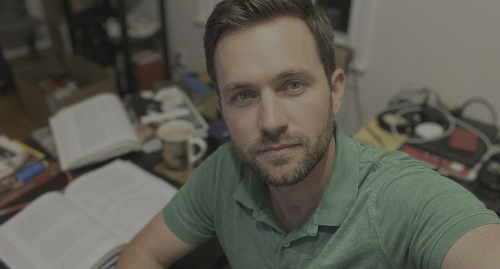
Use a photo where your face is well lit, sharp and easy to see. Avoid group photos, heavy filters or old photos that no longer look like you.

Man in green polo takes a selfie at a cluttered desk with an open notebook and coffee cup
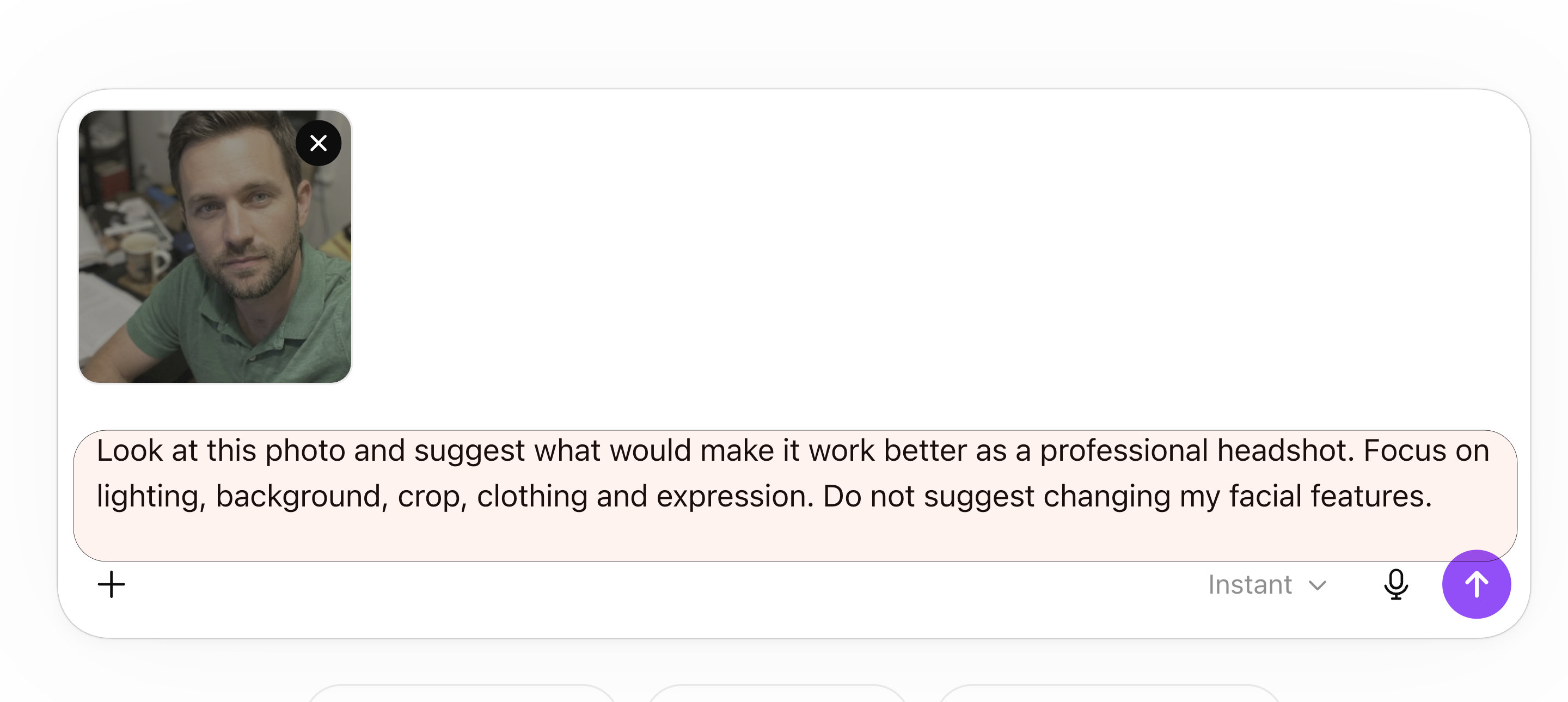
Chat interface showing a selfie with a prompt asking to improve the photo for a professional headshot.

2. Upload the photo to ChatGPT

Start a new chat and upload your image.

Use a prompt like this:

“Look at this photo and suggest what would make it work better as a professional headshot. Focus on lighting, background, crop, clothing and expression. Do not suggest changing my facial features.”


3. Create the headshot

Then use this prompt:


“Create a professional headshot from this photo and use the above feedback. Keep my identity, age, face shape, expression and natural features accurate. Use soft natural lighting, a clean neutral background and smart casual clothing. Make it suitable for LinkedIn, a website bio or a business profile. Keep the result realistic. Do not make me look younger, remove key features or over-smooth my skin.”

Portrait of a man in a dark green shirt against a soft gray background
Head-and-shoulders portrait of a man in a dark green shirt against a plain light gray background


“Create a professional headshot from this photo and use the above feedback. Keep my identity, age, face shape, expression and natural features accurate. Use soft natural lighting, a clean neutral background and smart casual clothing. Make it suitable for LinkedIn, a website bio or a business profile. Keep the result realistic. Do not make me look younger, remove key features or over-smooth my skin.”
Mint-green greater-than symbol on a white background

4. Refine the result

Make one change at a time.

"Put a white short and dark tie, with a black suit"

“Keep my face closer to original photo.”

“Reduce the skin smoothing and keep natural texture.”


5. You can also use Gemini

Gemini works in a similar way. Upload your photo, paste the same prompt and refine the result.

Colorful four-point star logo with red, blue, green, and yellow gradient on white background
Portrait of a man in a navy suit and tie, facing forward with a neutral expression against a gray background


6. Final check

Before using the image, check that:

  • It still looks like you
  • Your face is not distorted
  • The skin is not look too smooth
  • The background looks natural
  • There are no logos, badges or office signs
  • The crop works for your website


Nova9 view

AI headshots are useful for improving a photo, not replacing who you are. The best result is a cleaner, clearer version of the real you. The real key is to take a great original photo of yourself.

Nova9 Tools

Need an idea or a better prompt?

Generate fresh ideas first, or go straight to the Prompt Builder if you already know what you want to create.

Share this article

Nova9 is a place for people who are curious about AI but tired of the hype.

You’ll find honest reviews, practical guides, creative ideas, AI news that actually matters, and simple ways to use modern tools without needing a technical background.

Robot among stacked cardboard boxes in a cluttered market-like scene, with handwritten signs and a pink plush toy.
June 13, 2026
AI browsers can help compare products and summarise reviews, but should they buy for you? Here is why Nova9 recommends using AI before checkout, not during it.
Green ChatGPT robot mascot with a screen face and glowing logo, flexing arms beside the ChatGPT wordmark
June 6, 2026
Learn what GPTs are, how they differ from AI agents, and how people use them for everyday tasks like writing, research and planning.
A futuristic office with neon lights and a Microsoft Copilot AI hologram.
June 5, 2026
Explore why Microsoft Copilot is the essential AI productivity tool for office workers. Learn about its integration with Word, Teams, and Outlook.

Show More