

Microsoft Copilot: The Quiet AI Productivity Powerhouse

June 5, 2026

Microsoft Copilot is the AI assistant built into the tools you already use

Copilot works inside Word, Outlook, Teams and Excel, helping you draft content, summarise meetings, manage email and spot patterns in data without switching between apps.

Quick Benefits

  • Draft documents faster in Word
  • Cut through long email threads in Outlook
  • Turn meetings and spreadsheets into useful actions

Most AI tools ask you to go to them. Microsoft Copilot works the other way around. It sits inside Word, Outlook, Teams and Excel - the tools you already open every morning - and helps you get through your day faster.

No new app to learn. No switching tabs. Just a smarter version of the software you already use.

What makes Copilot different from a general AI tool is context. Because it connects to the Microsoft Graph - your emails, calendar, chats and documents - it understands your work rather than just responding to prompts. It knows which project you are working on, who you have been emailing, and what meetings are coming up.

That context is what makes it genuinely useful rather than just impressive.

Imagine opening Outlook on a Monday morning. Instead of working through a backlog of unread emails one by one, you ask Copilot to summarise what you missed on Friday. It pulls out the key threads, tells you what needs a reply, and flags anything with a deadline.


You switch to Teams, check the meeting notes Copilot captured last week, and start Word with a clear list of actions already in front of you. That is the practical difference Copilot makes.

If you already work in Microsoft 365, Copilot is one of the most practical AI tools available. Its biggest strength is not flashy chat, but the fact it works inside the apps many people already use every day.

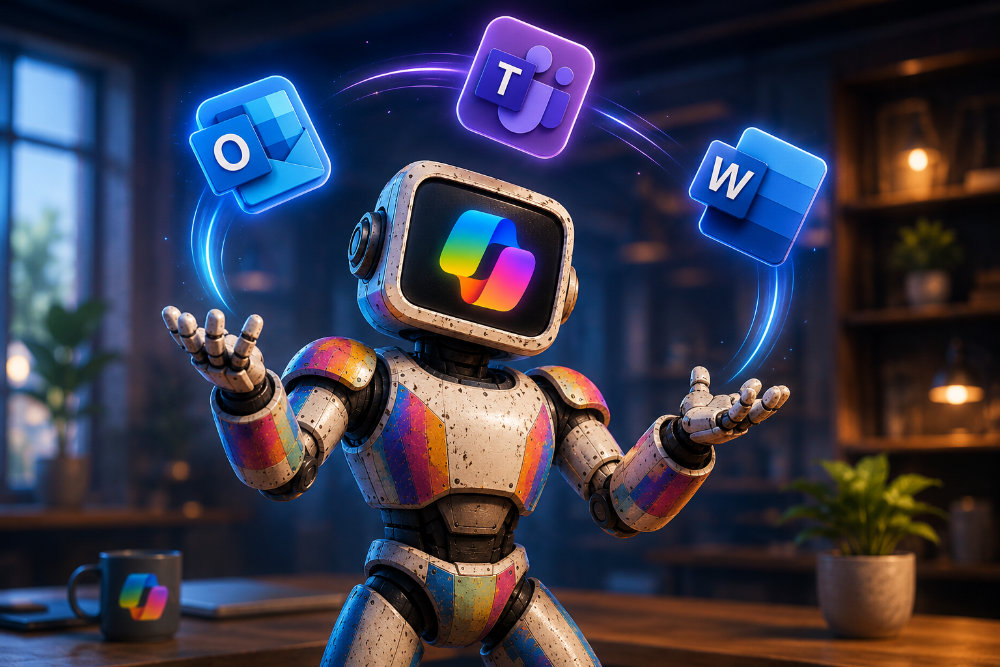
A futuristic office workspace with neon blue and purple accents, showing a digital interface with AI icons.

How does Microsoft Copilot transform your daily Word and Outlook tasks?

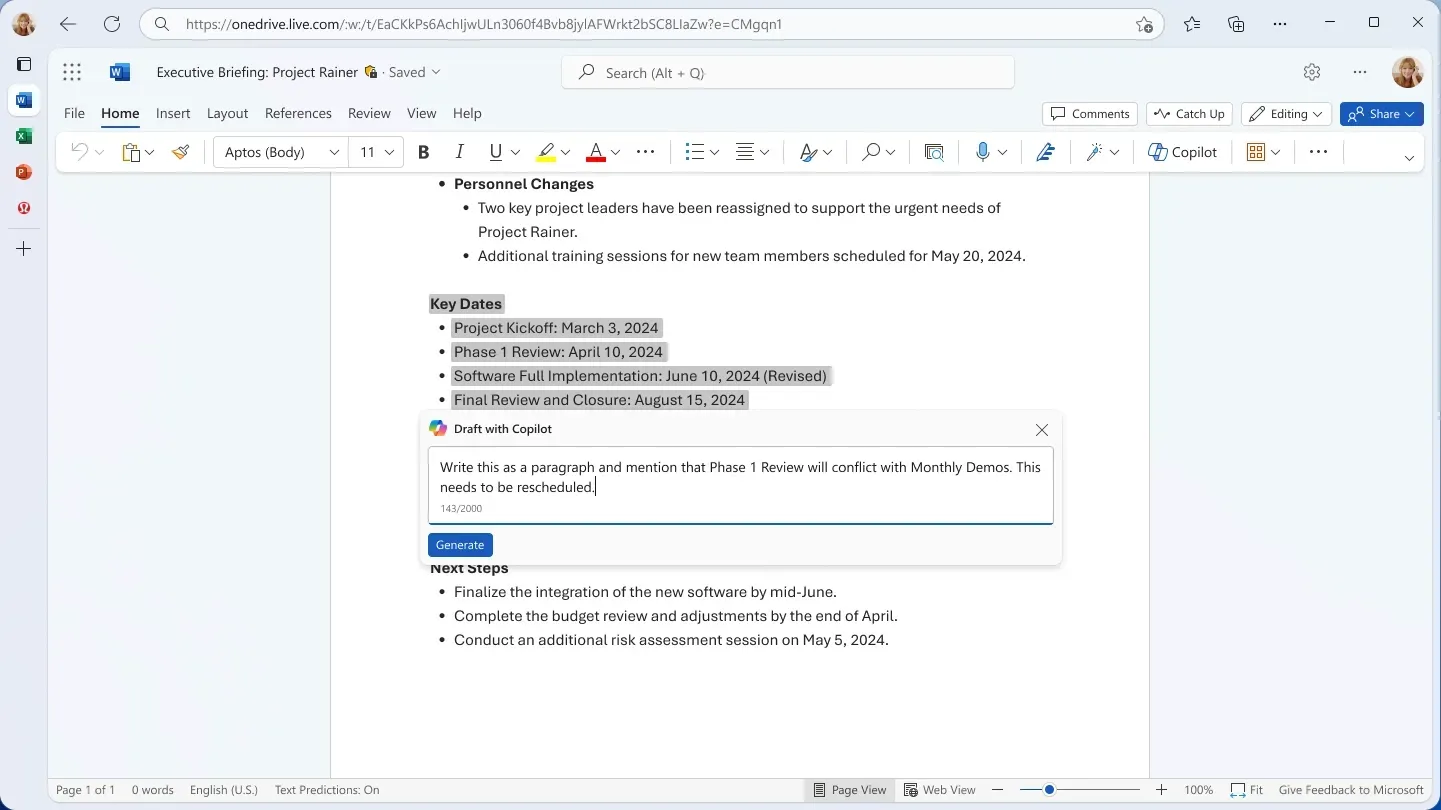
In Word, Copilot helps you get past the blank page. Give it a few bullet points or a brief and it will turn them into a structured first draft — complete with headings and paragraphs. If you want to change the tone or reshape a section, you can prompt it to do that too.


It is most useful when you need to move quickly. The first draft it produces is not always perfect, but it gives you something solid to work with rather than an empty page.

Outlook is where Copilot arguably adds the most immediate value. When you open a long email thread, Copilot can summarise the whole conversation in a few bullet points - showing you who said what, what was agreed, and what still needs a response.


It can also help you draft replies in a clear, professional tone. Rather than spending ten minutes writing an update to a client, you describe what you want to say and Copilot writes a first version you can edit and send.

Together, Word and Outlook cover two of the most time-consuming parts of most working days - writing and email. Copilot does not eliminate either task, but it reduces the time and effort both take, which is the more realistic promise of a practical AI tool.

Excel is the part of Microsoft 365 that many people find intimidating. Copilot helps by letting you ask plain questions about your data rather than needing to know the right formula.

You can type something like "Show me sales by region for Q3" and Copilot will create a chart or summary. It can also spot trends, suggest formulas, and flag figures that look unusual. You still need to understand your data - but you no longer need advanced spreadsheet skills to get useful answers from it.

Why is Copilot in the Teams app a game-changer for meetings?

Copilot in Teams helps with meetings before, during and after they happen.

Before a meeting, it can surface relevant documents and email threads so you arrive prepared. During the meeting, it captures a live transcript so you can stay in the conversation without worrying about taking notes. After the meeting, you can ask it to pull out the key decisions and actions - and even ask follow-up questions about what was said.


For anyone who attends a lot of meetings, this alone makes a noticeable difference to how much time is spent on follow-up.
Seamless Integration Within the Microsoft 365 Ecosystem

An abstract representation of data flowing into an AI brain, styled with neon cyber aesthetics.

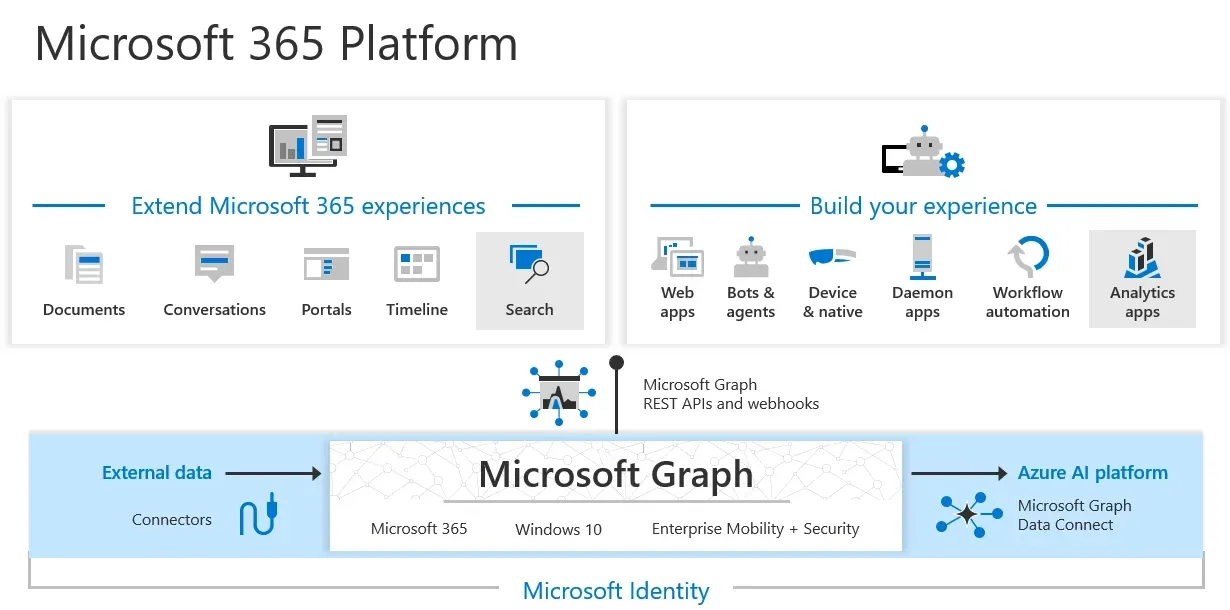
Most AI tools work in isolation. You give them a prompt and they respond based on general knowledge. Copilot works differently because it connects to the Microsoft Graph - the data layer that runs across your Microsoft 365 account.


That means when you use Copilot in Word, it can draw on relevant emails, recent documents and meeting notes. When you use it in Outlook, it understands the context of a conversation rather than treating it as an isolated message. Everything is connected, which makes the suggestions more relevant and the outputs more useful.

The practical benefit of this integration is that Copilot gets more useful the more you use Microsoft 365. It is not a one-size-fits-all assistant - it is shaped by your specific work, your team, and your business context. That is why it tends to feel more valuable than general-purpose AI tools for people who live inside the Microsoft 365 environment.

Navigating the Competitive Landscape:

Copilot vs. ChatGPT

It is a fair question to ask why you would pay for Copilot when tools like ChatGPT or Gemini are available. The honest answer is that it depends on how you work.


ChatGPT is a strong general-purpose tool and very capable at creative and conversational tasks. Gemini is tightly integrated with Google Workspace. Neither offers the same depth of integration with Microsoft 365 that Copilot does.


The key difference is that Copilot works with your actual documents, emails and meetings - not just the text you type into a chat window. If you spend most of your working day in Word, Outlook, Teams and Excel, that difference matters. If you do not, a general AI tool may suit you just as well.

Is your data safe with Microsoft Copilot?

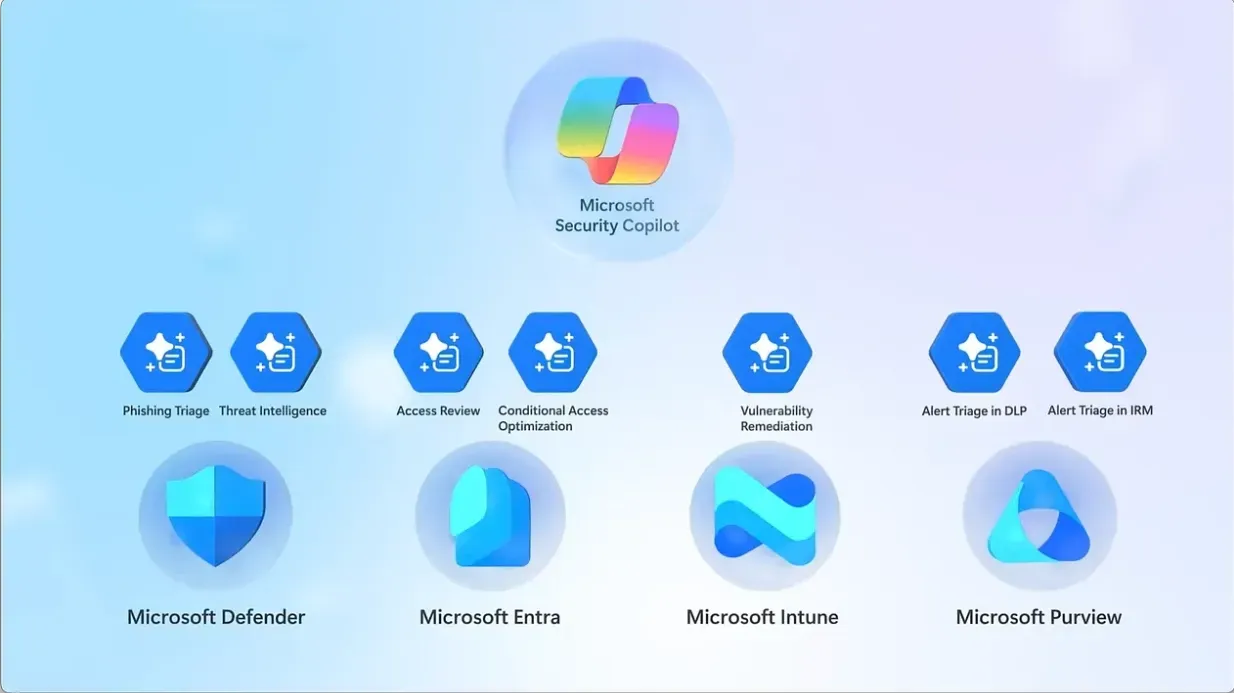
Data security is one of the main reasons organisations choose Copilot over general AI tools. The data you process through Copilot stays within your organisation's Microsoft 365 tenant. It is not used to train Microsoft's AI models, and it is not accessible to other organisations.

Microsoft has also committed to a Copyright Commitment that protects customers against certain intellectual property claims related to AI-generated content. For sectors like finance, law and healthcare, where data governance is non-negotiable, this level of assurance makes a significant difference.


Copilot is designed to meet enterprise-grade security standards from the ground up, rather than having privacy features added on as an afterthought.

Colorful robot pointing forward with glowing screen face and radiant background

Microsoft Copilot is most useful when it stays in the background and helps you get through real work faster. It does not demand your attention or ask you to change how you work. It fits around the tools you already use every day.


For people and teams already working in Microsoft 365, it is one of the most practical AI tools available. The integration is deep, the privacy is enterprise-grade, and the time savings across Word, Outlook, Teams and Excel are real.


If you are looking for an AI tool that works with your existing setup rather than replacing it, Copilot is worth a serious look.


Nova9 Tools

Need an idea or a better prompt?

Generate fresh ideas first, or go straight to the Prompt Builder if you already know what you want to create.

Share this article

Nova9 is a place for people who are curious about AI but tired of the hype.

You’ll find honest reviews, practical guides, creative ideas, AI news that actually matters, and simple ways to use modern tools without needing a technical background.

Robot among stacked cardboard boxes in a cluttered market-like scene, with handwritten signs and a pink plush toy.
June 13, 2026
AI browsers can help compare products and summarise reviews, but should they buy for you? Here is why Nova9 recommends using AI before checkout, not during it.
Green ChatGPT robot mascot with a screen face and glowing logo, flexing arms beside the ChatGPT wordmark
June 6, 2026
Learn what GPTs are, how they differ from AI agents, and how people use them for everyday tasks like writing, research and planning.
Colorful four-point star logo with red, blue, green, and yellow gradient on white background
May 31, 2026
Learn how to use Canvas mode in Google Gemini, when it helps, how it compares with ChatGPT Canvas.
Show More